
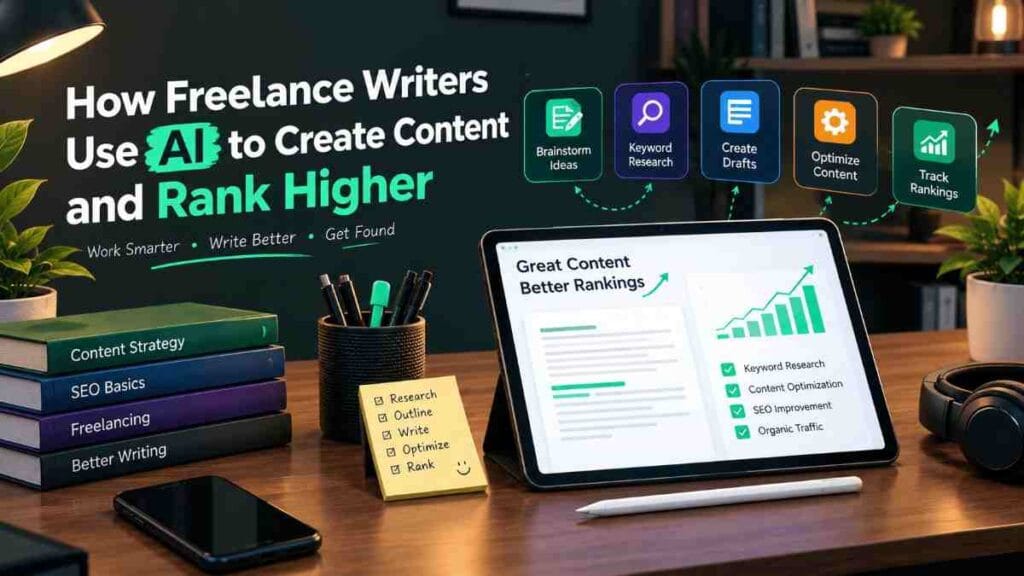
Freelance writing sounds simple until you’ve got three client deadlines, a half-finished blog post, a stack of research to get through, and a blank document blinking at you.
You have to turn in good work, hit your deadlines, and keep the business making money. When a single article can eat an entire afternoon, that balance gets ugly fast.
This is where AI can actually help.
Today’s writing tools can help you brainstorm angles, organize research, build outlines, clean up grammar, and get a draft ready for search engines. Skip the boring parts and you free up time for what clients are really paying for: original thinking, good stories, real industry knowledge, and content that helps readers.
That said, AI isn’t a magic button that spits out articles and magically ranks them on Google. Thin, repetitive, poorly researched content will still disappoint people—no matter how fast you wrote it.
The smarter approach is to use AI for speed and your own experience and judgment for everything else.
Below, you’ll learn which AI writing tools are worth your money, how to fold them into a real content process, and how to improve your SEO without torching quality or trust.
Why Are Freelance Writers Using AI?
Freelance writing has never been just writing. Before you type a word, you’re reading the brief, digging into competitors, organizing sources, figuring out what people actually search for, and deciding which ideas matter most.
AI can take a lot of that off your plate.
Per HubSpot’s 2025 State of Blogging Report, which surveyed more than 500 bloggers, only 4% said they never used AI for content. The most common uses? Editing and proofreading (43%), making outlines (38%), and drafting (37%).
That tells you something: AI has become part of how bloggers work, not just a way to pump out full articles.
For freelancers, the upside is obvious:
You stop staring at a blank page. Ask an assistant for article ideas, headline options, or a rough outline and you’re moving.
Research gets easier to manage. Use AI to summarize what you’ve found, group related ideas, and spot the questions you still need to answer. Always verify it, though.
Editing moves faster. Get help tightening sentences, catching repeated paragraphs, fixing weak transitions, and evening out tone.
You get time back. Cut the busywork and you’ve got more room for interviews, original research, client calls, and planning.
There’s also a ton of interest in keywords like “AI writing tools” and “AI content writing.” But general buzz doesn’t tell you monthly search volume. Check Google Keyword Planner, Google Trends, or a solid SEO tool for US search demand before you commit to a keyword.
The goal isn’t to write as many articles as humanly possible. It’s to write them faster—without the quality falling off a cliff.
Top AI Writing Tools for Freelancers
Not every writer needs a pile of AI subscriptions. The right tools depend on your gigs, your budget, your writing style, and what your clients expect.
Here are five worth a look.
1. ChatGPT: Your Research and Drafting Assistant
ChatGPT is a solid starting point if you need help thinking through an angle, building an outline, drafting, or checking your work.
Drop in a client brief. Ask for article ideas, turn your research notes into an outline, or get help shaping a draft. You can also tell it to adjust the tone for a specific audience—small-business owners, software buyers, brand-new freelancers.
Say you’re writing about project management software. You could ask ChatGPT what questions a small-business owner should weigh before picking a tool.
The real value comes from pushing back. Don’t just accept the first answer. Challenge weak ideas, ask for a different structure, and improve the draft with specific feedback.
Best for: Blog posts, outlines, brainstorming, briefs, proofreading, general writing help.
Watch out for: Wrong facts, generic phrasing, and made-up references. Verify everything yourself.
One note: ChatGPT is the product; GPT-4 is a model. The available models change, so pick from whatever’s in your account.
2. Jasper AI: Marketing and Brand-Focused Content
Jasper is built around marketing and business workflows. That makes it a decent fit if you write campaign copy, landing pages, product descriptions, and other client work that lives and dies by brand voice.
Picture this: you’re writing for a company that wants a consistent, practical tone across its site, emails, and blog. A structured marketing plan helps keep the message aligned everywhere.
Jasper tends to shine on repeat work for the same brand. Feed it clear brand rules, audience data, approved product claims, and examples of the client’s preferred style.
Best for: Marketing freelancers, brand writers, and teams running ongoing campaigns.
Watch out for: A polished marketing voice isn’t the same as accurate or persuasive. Test the output against the client’s actual position and what customers need.
3. Sudowrite: Writing and Story Development
Sudowrite is aimed at fiction and creative writing, which makes it more of a specialist than a general blog tool.
Novelists use it to explore story ideas, build characters, bust through writer’s block, or try out scenes and descriptions.
Say you’re stuck between two versions of a scene. An AI writing partner can help you look at both before you commit and rewrite the stronger one.
Its edge is a focus on storytelling and creativity rather than marketing copy.
Best for: Fiction writers, creative writers, and freelancers on storytelling projects.
Watch out for: Flat characters, predictable plots, and prose that doesn’t sound like you. Read every suggestion before it goes in.
4. Grammarly: Editing, Clarity, and Tone
Grammarly helps you fix grammar, tighten sentences, adjust tone, and improve readability. Its AI features will also suggest rewrites and alternative words.
That’s especially handy when you’ve got a draft in decent shape but need to sharpen it before it goes to a client.
Example: use it to untangle clunky sentences in a B2B article, or make a client email sound professional without going stiff and robotic.
Best for: Proofreading, professional communication, and getting drafts client-ready.
Watch out for: Accepting every suggestion. A sentence can be grammatically correct and still read weird. A rewrite can also kill an important point or flip your meaning.
5. Hemingway Editor: Clearer, More Readable Writing
Hemingway Editor flags hard-to-read sentences, needless complexity, and readability problems.
It’s great for beginner guides, educational posts, tutorials, and anything else that needs to be easy to follow.
Say you’ve got a monster sentence stuffed with clauses and jargon. Hemingway helps you spot it so you can split it, cut the jargon, or explain the idea in plain English.
Best for: Editing for clarity, simplifying explanations, and improving flow.
Watch out for: Dumbing everything down. Technical and expert audiences sometimes need the real words—and short sentences aren’t automatically better than long ones.
Which one should you pick? Start with one general-purpose assistant and one editing tool. Add specialists only when a project makes the cost worth it.
Step-by-Step Workflow: From Prompt to Publish
The best way to use AI is inside a repeatable process. Here’s a practical one you can adapt for blog posts, website copy, and other client work.
Step 1: Understand the Brief and the Search Intent
Before you write anything, figure out what the client wants the piece to do.
Ask yourself:
- Who’s the reader?
- What problem sent them to Google?
- What should they do after reading?
- What information, examples, or experience can make my article better than the rest?
Let’s say the assignment is “best AI writing tools for freelancers.” The reader probably wants to compare tools, understand the trade-offs, and find one that fits. A long history of AI would just delay the answer.
You can use AI to help decode the brief, but also look at the actual search results and customer questions yourself.
Example prompt:
Act as a content strategist. Analyze this brief: [insert brief]. The target audience is freelance writers in the US. Identify the search intent, the reader’s main problems, five questions the article must answer, and the information needed to make it genuinely useful. Don’t make up keyword numbers or factual claims.
Step 2: Research Before You Write
AI summaries save time, but they don’t replace real sources.
Pull from primary sources, official docs, credible industry research, and people who know the subject. Write down the source URL for every fact.
If you use AI to summarize a document, compare it against the original. Miss one detail and a fact turns into a lie.
Build a research sheet with three columns: claim, source, and verified (yes/no). This matters most for software features, pricing, legal rules, health topics, or anything that changes often.
Step 3: Build a Search-Friendly Outline
Once you know the purpose and have your research, build the skeleton.
Example prompt:
Create an SEO-focused outline for an article targeting “best AI writing tools for freelancers.” Include one H1, logical H2 and H3 headings, a comparison section, a practical workflow, common mistakes, and relevant FAQs. Cover the intent fully without repeating the same point under two headings. Suggest gaps worth investigating, but don’t claim to know what competitors are missing without evidence.
Review the outline before drafting. Cut headings that don’t earn their place and add what your research says readers need.
Work your keyword into the title and intro naturally. Related terms should show up where they clarify the subject—not just to hit a frequency count.
Step 4: Draft One Section at a Time
Biggest rookie mistake: asking AI to write a 2,500-word article in one prompt.
It’ll look complete. It’ll also be repetitive, shallow, and wrapped in generic conclusions.
Instead, draft section by section. Give the tool your approved outline, the relevant research, and clear instructions on tone and length.
Example prompt:
Write the section “How Freelancers Can Use AI for Content Research” for an article aimed at US freelance writers. Use plain English, practical examples, and short paragraphs. Explain three applications, their limits, and how a writer can verify the results. Don’t invent statistics, quotes, or personal experiences. Avoid throat-clearing intros and repetitive conclusions.
After each section, check the facts and the logic. Then layer in your own expertise, client examples you have permission to share, and observations a generic draft would never produce.
This approach also keeps your voice consistent across the whole piece.
Step 5: Edit for Human Voice and Originality
Editing is where your judgment earns its keep.
Read the draft like the intended reader. Does it answer the question fast? Does every paragraph pull its weight? Would a beginner follow it? Are any claims too broad to trust?
Then hunt for the usual AI tells:
- Phrases like “in today’s digital landscape” on repeat.
- Intros that take forever to get to the point.
- A predictable transition at the top of every section.
- Big claims with no evidence.
- Advice that sounds fine but never gets specific.
Use Grammarly or Hemingway for a clarity pass.
But don’t aim to just make AI text “look human.” Aim to make it accurate, distinctive, helpful, and unmistakably yours.
Step 6: How to optimize website for search engines
Before you hit publish, run the essentials:
- Title tag: descriptive and accurate.
- Headings: a hierarchy readers can navigate.
- Meta description: a compelling summary of the page’s value. Google might use it—or pull its own snippet from the page.
- Internal links: link out to your own related guides, like posts on freelance marketplaces or content marketing.
- External sources: cite sources for stats and factual claims.
- Images: add screenshots, diagrams, or original visuals that clarify the subject. Write real alt text.
- Reader experience: cut clutter, check mobile formatting, and make sure the article delivers on its title.
Google’s SEO Starter Guide covers titles, snippets, links, and discoverability if you want the source material.
Step 7: Publish, Measure, Improve
Publishing isn’t the finish line.
Track impressions, clicks, queries, and engagement in Google Search Console and your analytics. Once the page has data, see which queries bring people in and where it falls short of answering them.
Refresh outdated product details, swap dead links, and beef up sections readers find thin.
AI can help you read the data or brainstorm fixes. But base decisions on evidence—not on a promise that some revision will move rankings.
Content Quality: Can AI Content Rank on Google?
Yes. AI-assisted content can show up in Google Search. Using AI doesn’t automatically disqualify a page.
Google’s guidance on AI content says AI can help with research and structure. What matters is whether the published piece delivers value and follows Google’s policies.
The main risk is scaled content abuse: churning out tons of unoriginal, low-value content mainly to game rankings. Google’s spam policies call out mass-produced, low-value content regardless of how it was made.
To use AI responsibly for SEO:
- Write for people first. Answer the reader’s question instead of padding with keywords.
- Add real value. Bring first-hand experience, original analysis, useful comparisons, interviews, demos, or audience-specific examples.
- Verify claims. Check stats, features, quotes, and sources before publishing.
- Show expertise. Explain trade-offs, admit limitations, back up your recommendations.
- Don’t skip editorial review. A hundred thin articles aren’t necessarily better than ten thorough ones.
- Be transparent when it matters. Follow client, publisher, and disclosure rules. Never fake authors, credentials, tests, or personal experience.
And remember: SEO is bigger than drafting. Search intent, usefulness, site quality, competition—lots of factors move performance. No tool or trick guarantees page one.
An Illustrative Case Study: Turning a Brief Into an Article
Picture a freelancer hired to write a 1,500-word guide on choosing AI writing tools for businesses.
This is a workflow, not a timed test or a claim of measured productivity gains.
The writer starts with the brief and spots three reader needs: understand the options, compare their strengths, and pick something affordable.
They gather product docs, note current pricing, and skim competitor pages to see what topics readers expect.
Then they use an assistant to build an outline and draft a section.
Initial prompt:
Write an intro to a guide about AI writing tools for businesses. The audience has limited AI experience. Explain the problem these tools solve, preview the comparison, and keep the language practical and straightforward. Avoid claims about productivity or search rankings.
The first draft might read:
AI writing tools help businesses create content efficiently. They can assist with blog posts, emails, and other marketing materials.
Fair enough—but that could open almost any AI writing guide.
So the freelancer ties it to a buying decision:
A small business rarely has unlimited time for marketing. Between answering customers, managing projects, and updating the website, content becomes one more unfinished task. The right AI writing tool can help organize ideas, prepare drafts, and polish messaging—but the best choice depends on your workflow, budget, and editing needs.
Now the reader has a problem and a reason to care about the comparison. No wild promises required.
From there, the writer verifies product details, adds a comparison table, edits for brand voice, and runs an SEO checklist before publishing.
Suggested screenshot for your article: capture your prompt and the raw first draft, then a screenshot of your edited version, with a caption explaining what you improved. Just don’t present an interface or an illustrative example as a real product test.
Why does this workflow work? AI handles part of the drafting while the freelancer stays on the hook for research, judgment, accuracy, and the reader’s experience.
Common Pitfalls to Avoid
AI is useful, but sloppy use can wreck your reputation and your work.
- Trusting hallucinations. AI invents facts, specs, citations, and quotes. Check against original sources instead of trusting a confident answer.
- Publishing generic content. If your article repeats advice readers can find anywhere, there’s no reason to pick your page. Add examples, research, specialist knowledge, real analysis.
- Over-optimizing for keywords. Cramming the phrase everywhere makes content awkward. Use it naturally, plus related terms where they aid understanding.
- Losing your voice. AI will sand down your sentences until everything sounds the same. Keep your vocabulary, rhythm, and point of view. Accept edits selectively.
- Ignoring confidentiality and client rules. Don’t paste client docs, unpublished research, customer records, or sensitive info into an AI service unless permissions and privacy terms allow it. Check each provider’s data settings.
- Skipping disclosure when it’s expected. Some clients and publishers have rules about AI assistance. Follow them, and be honest about what you did. Never invent research or claim you tested a tool when you didn’t.
- Chasing AI-detection scores. Detection results aren’t proof of authorship. OpenAI itself notes ChatGPT can’t reliably tell whether text was AI-written. Focus on originality, verifiable facts, transparency, and quality instead.
FAQ
What are the best AI writing tools for freelance writers?
ChatGPT is a strong all-rounder for brainstorming, drafting, and revising. Jasper leans marketing. Sudowrite is for fiction. Grammarly helps with editing. Hemingway improves readability. The best pick depends on your assignments and budget.
Can freelance writers use AI to write SEO blog posts?
Yes. Use it to build outlines, organize sources, draft sections, and review on-page SEO. Then verify facts, add your own thinking, and make sure the final piece actually answers the reader’s question.
Does Google punish AI-written content?
Not automatically. Content that breaks spam rules—like mass-produced pages made mainly to game rankings—can rank lower. Follow Google’s guidance on AI content.
How do I make AI-written content feel more real?
Start with a plan, use real examples, cut repeated words, vary your sentence lengths, and edit until it sounds like you. Most importantly, add genuine value and fact-check instead of just swapping words around.
Can AI help freelance writers make more money?
Maybe. It can cut time on tasks, which could let you take on more work or offer new services. Real results depend on your process, your clients, their quality bar, and your rates. Track your time and income before assuming faster work means more money.
Final Thoughts
AI is changing how freelance writers research, plan, write, and edit. Used carefully, it trims the busywork and frees you up for the parts that actually need creativity, experience, and good judgment.
Start with one or two tools. Build a process that works for you. Check every fact. Improve every article before it goes out.
And remember—speed is only half of it. Clients want content that gets their audience, reads clearly, and moves a business goal forward.
Let AI help you work faster. Let your knowledge make the work worth reading.