
You don’t need an AI strategy. You need your Tuesday back. The best AI tools for small business each take one chore off your plate, whether that’s answering the same five customer questions or trimming a 40-minute video. Below are six that earn their monthly fee, with real prices and a straight view on who each one suits.
What are the best AI tools for small businesses in 2026?
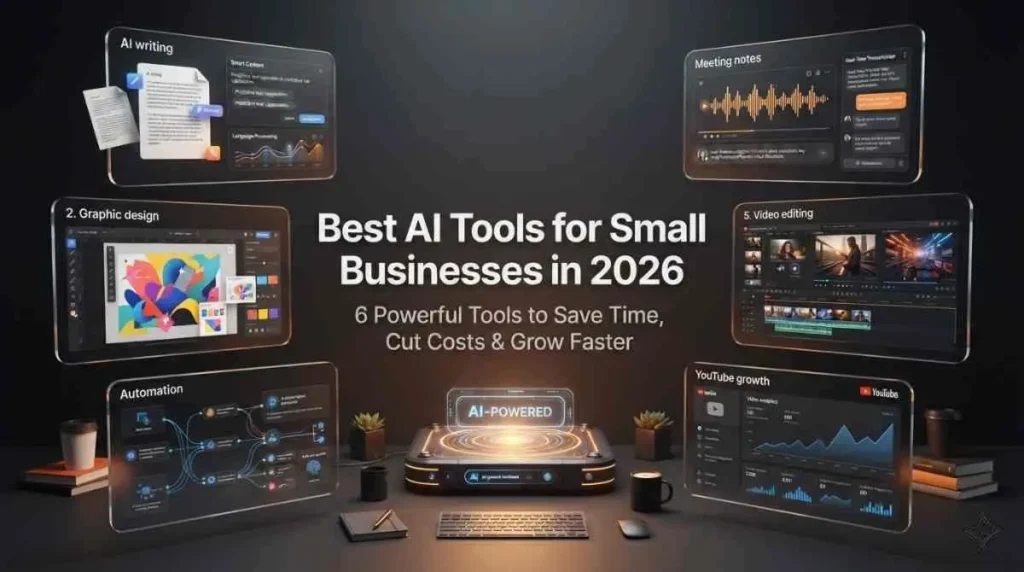
The best AI tools for small business in 2026 are a general AI assistant (ChatGPT or Claude), Canva, Zapier, Otter.ai, Descript and vidIQ. Together they cover writing, design, automation, meeting notes, video editing and YouTube growth, and you can start every one of them for free.
| Tool | Best for | Starting price (USD) |
| ChatGPT or Claude | Writing, research, brainstorming | Free tier; paid plans around $20/month |
| Canva | Social posts, flyers, thumbnails | Free; Pro $144/year (about $12/month) |
| Zapier | Linking your apps and automating chores | Free; Professional $19.99/month billed annually |
| Otter.ai | Meeting and call notes | Free (300 minutes); Pro $16.99/month |
| Descript | Editing video and podcasts by editing text | Free; Creator $24/month billed annually |
| vidIQ | YouTube keywords and video ideas | Free; Boost $39/month or $199/year |
Prices are in US dollars and come from 2026 pricing roundups. Vendors change plans often, so check the tool’s own pricing page before you buy.
Which AI tool should you start with?
Start with a general AI assistant. It does the most jobs for the least money, and it teaches you how to talk to AI before you spend on anything specialized.
1. ChatGPT or Claude: your all-round assistant
Use one of these to draft emails, rewrite product descriptions, summarize a long supplier contract or plan next month’s content. Both offer free tiers, and the paid plans typically sit around $20 a month. Pick one and stick with it for a fortnight. Switching between them every day wastes the time you’re trying to save.
Our take: give it examples of your own writing and ask it to match your voice. Generic prompts get generic results.
2. Canva: good-looking graphics without a designer
Canva’s AI features, including image generation, background removal and Magic Studio, sit inside an editor you may already use. The free plan includes a monthly allowance of AI generations. Pro costs $144 a year (about $12 a month) and raises that allowance a lot. If you post to social media more than twice a week, Pro pays for itself quickly.
3. Zapier: stop copying and pasting between apps
Zapier connects your apps so one thing triggers another. A new form entry can land in your spreadsheet, send a thank-you email and ping you on Slack, all without you lifting a finger. Its Copilot builds these workflows from a plain-English description. The free plan gives you 100 tasks a month and two-step workflows. Professional starts at $19.99 a month billed annually ($29.99 if you pay monthly), with multi-step workflows included.
Watch out: every automated action counts as a task. Busy workflows can use up a plan faster than you’d expect.
4. Otter.ai: meeting notes you don’t have to type
Otter joins your calls, transcribes them and writes a summary with action items. The free plan covers 300 minutes a month, with each conversation capped at 30 minutes. Pro is $16.99 a month, or $8.33 a month billed annually, and lifts that to 1,200 minutes and 90 minutes per conversation. It’s ideal for client calls where you’d otherwise scribble notes and miss half the conversation.
What are the best AI tools for YouTubers and content creators?
Descript and vidIQ are the best AI tools for YouTubers and content creators on a small budget. Descript speeds up editing, and vidIQ helps you decide what to make in the first place.
1. Descript: edit video by editing words
Descript turns your recording into a transcript. Delete a sentence from the text and it disappears from the video. It also removes filler words and cleans up audio. The free plan is limited and adds a watermark. Creator costs $24 a month billed annually ($35 month to month) and adds watermark-free 4K exports and Studio Sound. If you publish weekly, this is the tool most likely to give you your evenings back.
2. vidIQ: ideas and keywords for your channel
vidIQ shows you what viewers search for and how competing videos perform. Free gives you 150 AI credits a month and basic analytics. Boost costs $39 a month, or $199 a year, and adds deeper competitor and historical data. Try the free version for a month first. The paid tier only makes sense once you’re uploading consistently.
How do you choose AI tools without wasting money?
Choose by the task that eats your week, not by the tool that’s trending. A few rules help:
- Fix one problem first. Pick the chore you dread most and find one tool for it.
- Use the free plan for two weeks. If you haven’t opened it by day ten, you won’t pay for it.
- Pay annually once you’re sure. Zapier drops from $29.99 to $19.99 a month and Descript Creator from $35 to $24 when billed yearly.
- Protect customer data. Keep names, card details and private documents out of free plans.
- Check the output. AI makes confident mistakes, so read everything before it goes to a customer.
The most common mistake is stacking six subscriptions in a week. You end up with a bill and no habit. One tool used daily beats five used once.
Frequently asked questions
What are the best AI tools for small business in 2026?
For most small businesses, the best AI tools are a general AI assistant such as ChatGPT or Claude for writing and research, Canva for design, Zapier for automation, and Otter.ai for meeting notes. YouTubers and content creators should add Descript for editing and vidIQ for channel growth.
Are there free AI tools for small businesses?
Yes. ChatGPT, Claude, Canva, Zapier, Otter.ai, Descript and vidIQ all have free plans. The limits are tight, but they are enough to test whether a tool saves you time before you pay anything.
How much should a small business spend on AI tools?
Most small teams can cover the essentials for roughly $40 to $80 a month by choosing two or three paid tools. Start with one, measure the hours it saves, and only add another when the first has paid for itself.
Is it safe to put customer information into AI tools?
Not into free consumer plans. Free plans can have weaker privacy terms, so keep names, payment details and private documents out of them. If you handle sensitive data, use a business plan and read the vendor’s data policy first.
What is the best AI tool for YouTubers and content creators?
Descript is the strongest pick for editing because you cut video by editing a transcript. Pair it with vidIQ for keyword research and video ideas, and Canva for thumbnails.
Where to start this week
Pick one tool from the table, set a 14-day free trial reminder and give it a real job. If it saves you an hour, keep it. For more guides like this, browse the AI tools section at WriteAry.